KartX Racing Garage Locker Guide
Spawn, equip karts and classes, spend miles, and lock a clean pre-race loadout.
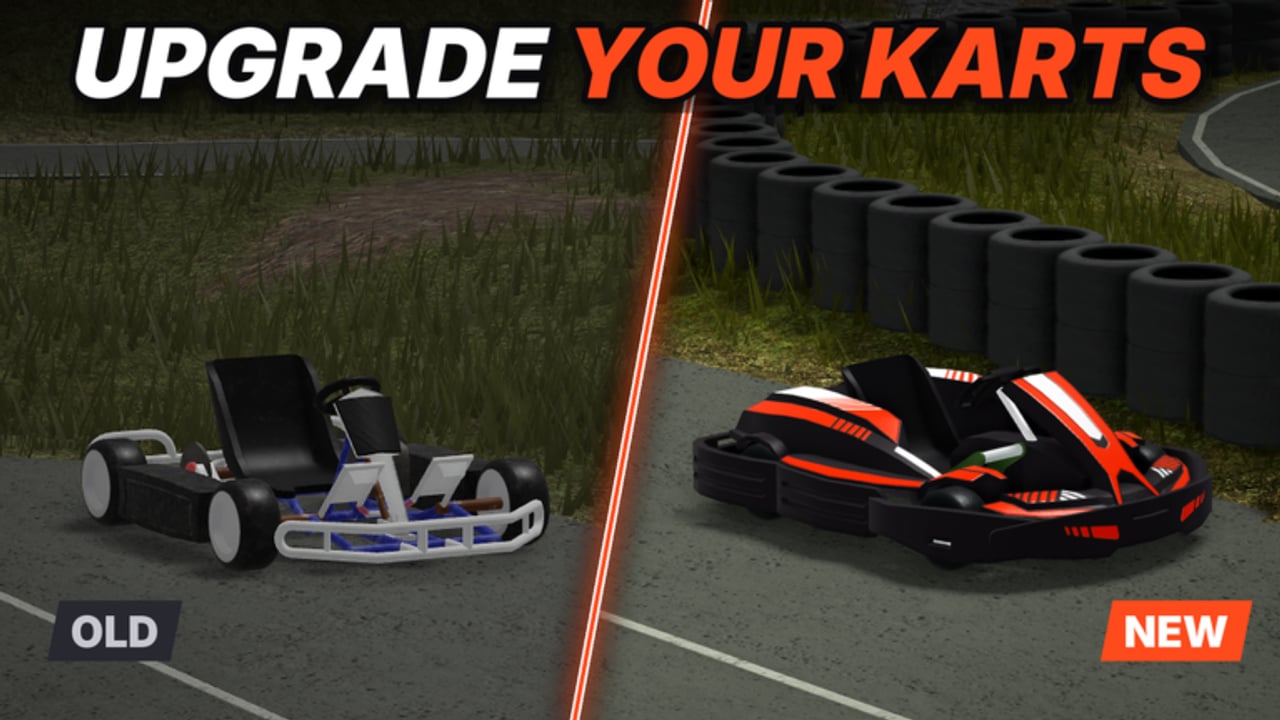
The garage locker is where KartX Racing progression becomes real. You spawn, open the locker flow, equip karts and classes you unlocked with miles, spend toward the next upgrade, and set the loadout you will actually race—not the one that only looks good in the menu. In a release-phase title with weather, fuel, seasonal events, and new tracks still in the spotlight, a sloppy locker habit wastes unlocks. This guide walks spawn-to-equip flow, how to spend miles without buyer’s remorse, how to separate cosmetics from performance, how Auto Locker scripts fit (and fail) safely, and how to build a pre-race loadout you can trust.
Brand new? Pair this page with Getting Started. The locker multiplies a clean day-one loop; it does not invent one.
Spawn and locker flow
Treat every session start as a short ritual:
- Spawn into the place and confirm you are in a healthy lobby (KartX runs small servers—about ten players max—so traffic density is manageable if you load out calmly).
- Open the garage locker before you mash into the first race on yesterday’s impulse pick.
- Equip the kart you intend to drive and the class that matches that plan.
- Confirm cosmetics did not accidentally replace a performance choice you cared about.
- Set tyres and recall your tune baseline—detail lives on Weather & Tyres and Kart Tuning.
- Roll only after fuel and weather checks join the same pre-flight—use Race Checklist habits even if you keep the list mental at first.
Skipping the locker “because I know my main” is how you discover mid-race that you are on the wrong class after a miles spend.
Equipping karts and classes
Miles unlock options; the locker makes them active.
- Karts change the chassis personality—acceleration feel, grip ceiling, top-speed stretch. Compare roles on the Karts Tier List after you can finish races, not before.
- Classes layer another axis of identity and tools. Read the Classes Tier List so you do not equip a class that fights your kart’s job.
- Equip one intentional pair per session goal: miles farm, new-track scout, wet specialist, or event grind. Swapping every race without a note teaches you nothing.
After a purchase, load the balanced tune baseline from Kart Tuning on a familiar circuit before you judge the unlock on a hostile new layout.
Spending miles in the locker
Miles are the progression currency from the race → unlock → tune → events loop. Spend with a queue:
- Bank enough that one unlock does not leave you broke for the next must-have.
- Prefer performance unlocks you will race this week over cosmetics you will ignore.
- After buying, equip immediately in the locker and run a validation stint—do not leave a new kart sitting unequipped while you keep driving the old default on habit.
- Log what you bought and why; release-phase balance and seasonal shops can shift value. Codes and freebies, when Official posts them, stay on Codes—redeem those before you impulse-spend duplicates.
- Revisit Earn Miles if your bank grows too slowly; the locker cannot print currency.
Buyer’s remorse usually comes from unlocking a speed spear, never retuning it, and declaring the kart “trash” on a wet twisty night. Fix the process before you blame the purchase.
Cosmetics versus performance
The locker mixes looks and pace. Keep them mentally separate:
- Performance — kart choice, class choice, tyre compound, tune axes, fuel plan. These change lap time and survival.
- Cosmetics — skins, flair, and visual flex. Fun, fine, and worthless if they distract you from weather and pumps.
Spend cosmetics with surplus miles after your racing loadout is stable. Never “fix” a spin streak by buying a new paint job. Fix rubber and braking markers first.
Auto Locker scripts—context and safety
Some players use Auto Locker style scripts to equip loadouts faster or to reapply a saved setup between races. Context:
- Convenience is real when you hop lobbies often.
- Scripts can equip the wrong saved loadout after an update, after a new unlock, or when weather needs a different tyre than your AFK preset.
- Automation that touches the locker still carries account and ToS risk. You own that risk—read the framing on Scripts and the Auto Locker notes on Auto Locker before you run anything.
- Prefer manual locker confirmation for new tracks, seasonal events, and any patch day. Supervise the first equip after a scripted apply.
If a script fights you—wrong kart, wrong class, dry tyres in rain—disable it and reset by hand. The garage is too important to leave on an unsupervised macro.
Pre-race loadout checklist
Build a repeatable loadout card:
- Kart equipped for today’s goal (farm / scout / wet / event).
- Class equipped and not fighting that kart’s role (Classes Tier List, Karts Tier List).
- Tyres matched to weather UI.
- Tune baseline selected; one planned change max (Kart Tuning).
- Fuel plan remembered for this circuit.
- Cosmetics confirmed not to have overwritten a performance slot.
- Marshal rotation awareness if you also play that role—see Marshal so you know what unstable loadouts look like from the outside.
Run that card every spawn. It takes less time than one spin caused by yesterday’s dry setup in today’s rain.
Events, new tracks, and locker discipline
Seasonal events (Halloween windows and whatever follows) and NEW TRACK drops tempt panic spends. Discipline:
- Scout the new circuit on a balanced, already-owned kart before buying a specialist you cannot drive yet.
- Equip event cosmetics only after the performance loadout is set.
- Remap fuel and tyre habits on new asphalt; the locker does not auto-fix track knowledge.
- Check Updates so you are not spending miles on something a patch just shifted.
Multiplayer locker manners
In a small lobby, sitting in the locker is fine—blocking spawn paths or AFK-equipping in a doorway is not. Finish your equip, move, and race. If you use any locker automation, do not let it loop menus while other players wait on you for a clean start.
Session checklist
- Spawn → locker open → kart + class equipped intentionally.
- Miles spend plan reviewed; codes checked on Codes when relevant.
- Cosmetics vs performance separated.
- Weather, tyres, tune, fuel joined to the loadout (Weather & Tyres, Kart Tuning, Getting Started).
- Auto Locker off or supervised (Auto Locker, Scripts).
- Tier context glanced when choosing new unlocks (Karts, Classes).
- Miles income healthy via Earn Miles.
- Marshal lessons noted when relevant (Marshal).
The garage locker is your pit wall. Equip with intent, spend miles on pace first, keep cosmetics in their lane, and confirm every loadout before the green flag. Do that across dry days, wet events, and every new KartX circuit, and your unlocks stop being menu trophies—they become tools you actually know how to race.
Frequently Asked Questions
Quick answers for KartX Racing drivers.
What should I do first after spawning in KartX Racing?
Open the garage locker, equip the kart and class you intend to race, confirm tyres and tune for current weather, then roll. Skipping the locker is how wrong loadouts sneak into the first race.
Should I spend miles on cosmetics or performance first?
Performance first—karts, classes, and setups you will race this week. Buy cosmetics with surplus miles after your racing loadout is stable.
Why does a new kart feel worse right after I unlock it?
New unlocks need their own baseline tune and a familiar validation track. Equip them in the locker, start balanced, and avoid judging them on a hostile new circuit with the wrong tyres.
Are Auto Locker scripts safe to use?
They carry account and ToS risk, and they can equip outdated loadouts after patches or weather changes. Read the Scripts and Auto Locker safety notes, supervise applies, and reset manually when something looks wrong.
How do classes and karts work together in the locker?
Equip one intentional pair per session goal. Use the Karts and Classes tier lists to avoid combinations that fight each other, then validate with a clean stint before more miles spends.